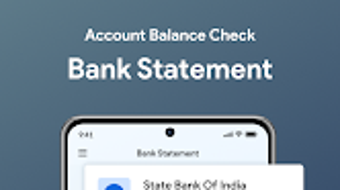

Download Account Balance Check – check bank balance, bank balance check, balance check, free bank check, check account balance, bank balance app
Overview
The Account Balance Check app is a lightweight Android tool designed to allow users to check their bank account balances without the need for login credentials or personal data submission. Developed by Account Balance Check, the app positions itself as a secure, privacy-first solution for individuals seeking quick access to their financial status. It is intended for consumers who want to monitor their account balances without engaging with traditional online banking platforms.
The app functions through a unique balance checking number provided by banks, enabling users to retrieve account information directly. This method eliminates the need for account creation, authentication, or sharing sensitive details such as passwords or PINs. While the app does not support direct integration with financial institutions, it serves as a standalone utility for users who prefer minimal digital footprints. Real-world usage scenarios include quick checks before shopping, verifying funds after transactions, or monitoring account health without opening a banking app.
Given its free pricing model and minimal system footprint, Account Balance Check targets individuals seeking simplicity, speed, and privacy. It is particularly useful for users who are cautious about digital security or who use multiple banking services and want a centralized, low-effort method to check balances. The developer did not provide additional background on the company or its development history.
Key Features & Capabilities
- Balance Check via Unique Number – Users can input a bank-provided balance checking number to retrieve account details instantly, eliminating the need for login or registration.
- Privacy-First Design – The app does not collect, store, or transmit personal information, ensuring user data remains confidential.
- Free of Cost – No subscription fees or in-app purchases are required. The app is fully accessible at no charge.
- SMS Statement Option – Users may opt to receive their account statement via SMS, offering a convenient alternative to on-screen viewing.
- Multi-Functionality – Beyond balance checks, the app supports money transfers between accounts and bill payments, expanding its utility beyond basic monitoring.
Each feature is designed to streamline financial management. For example, entering a balance checking number allows users to verify funds before making purchases, reducing the risk of overdrafts. The SMS statement option provides an accessible record for users who prefer physical or mobile text-based documentation. The ability to transfer funds and pay bills directly within the app enhances its role as a central financial tool, though the specific integration methods were not detailed.
User Interface, Workflow & Performance
The app features a clean, minimal interface focused on functionality. Navigation is straightforward, with a primary input field for the balance checking number and clear buttons for initiating checks, viewing statements, or accessing additional features. The workflow is designed to be completed in under 30 seconds, emphasizing speed and ease of use.
Users can expect a responsive experience on compatible Android devices, though exact performance metrics were not specified. The developer did not provide details on CPU or RAM usage, nor did they mention background processes or battery impact. Based on general software behavior, the app is likely optimized for low resource consumption given its 2.5 MB size. Stability is assumed to be consistent with standard Android applications, but real-world crash reports or reliability data were not included.
Overall, the workflow prioritizes simplicity. After entering the required number, users receive immediate feedback. The absence of login steps or data collection contributes to a frictionless experience. However, the lack of visual feedback or progress indicators during processing was not addressed in available information.
Compatibility & System Requirements
Account Balance Check is designed for Android devices and is compatible with the Android operating system. The app version is 1.0, with a file size of 2.5 MB, indicating a lightweight installation. This suggests it can run on a wide range of Android smartphones and tablets, including entry-level models.
Exact system requirements were not listed. The developer did not specify minimum Android version, processor type, RAM, or storage space needed for optimal performance. Compatibility information is limited to the OS name and version. Users are advised to ensure their device meets standard Android app installation criteria. The app does not appear to require special permissions beyond basic access for SMS if the statement delivery feature is used.
Pros and Cons
Pros
- Free to download and use with no hidden fees
- No login or personal data required for balance checks
- Lightweight at only 2.5 MB in size
- Supports money transfers and bill payments
- Offers SMS-based account statement delivery
Cons
- Exact system requirements were not provided
- Functionality depends on bank-provided balance checking numbers
- Limited information on security protocols
- No details on update frequency or future development plans
- Offline functionality not confirmed
FAQ Section
Is Account Balance Check available for iOS devices?
The app is currently only available for Android. No information is provided about iOS compatibility.
Do I need to create an account to use the app?
No. The app does not require account creation, login, or personal information to check your bank balance.
Is the app secure?
The developer claims the app is secure and does not collect personal data. However, specific security measures were not detailed.
Can I use the app without an internet connection?
It is uncertain whether the app supports offline functionality. The app likely requires an internet connection for balance checks and SMS delivery.
How often can I check my balance using this app?
There is no stated limit on the number of balance checks. Users may check their balance as frequently as needed.
Final Thoughts
Account Balance Check offers a refreshingly simple approach to monitoring bank balances without compromising privacy. Its no-login, no-data model appeals to users who value security and minimalism. The inclusion of transfer and bill payment features adds meaningful functionality beyond basic checks, making it a versatile tool for everyday financial management.
While the lack of detailed system requirements and security documentation may raise questions, the app’s lightweight design and free access make it accessible to a broad audience. It is particularly beneficial for individuals who want to avoid the complexity of online banking platforms or who are concerned about digital tracking.
For those seeking a secure, easy-to-use way to check their bank balance and manage finances on the go, Account Balance Check delivers on its core promise. Download Account Balance Check now.






.png)
